Christmas Scene Creator with Isolated Items: A Versatile Tool for Creative Designers
Creating visually appealing holiday content requires more than just a festive mood—it demands the right tools and assets. The Christmas Scene Creator with Isolated Items is a digital resource that empowers designers, marketers, and creative professionals to craft unique Christmas-themed visuals efficiently. This collection offers a wide range of editable elements, backgrounds, and scenes that can be adapted to suit various design needs. Whether you're designing holiday cards, promotional materials, or social media content, this tool provides the flexibility and quality needed to produce professional results.
Understanding the Features of the Christmas Scene Creator
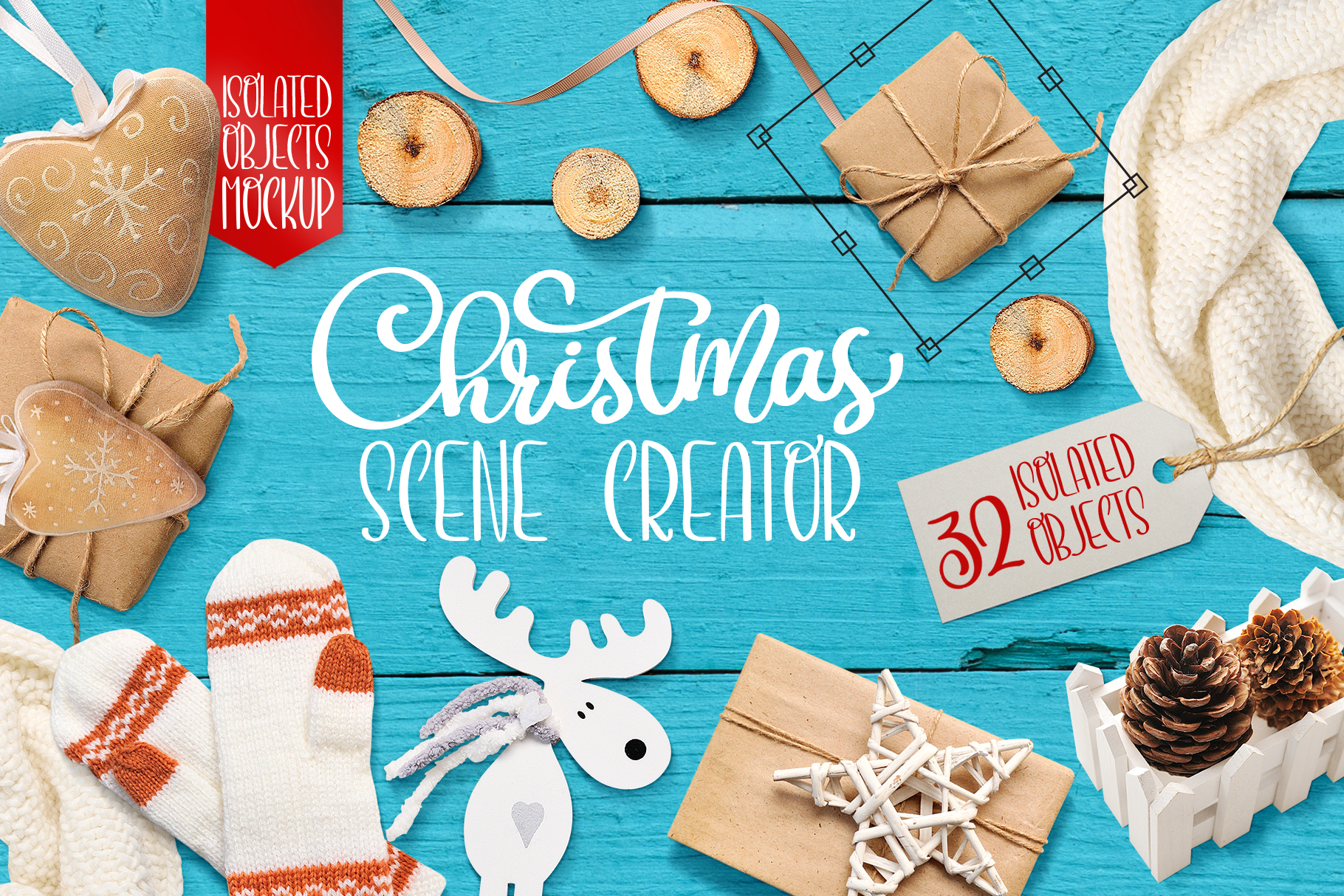
The Christmas Scene Creator includes 32 isolated objects, such as a rope-tied gift, knitted mittens, wooden stars, and decorative white fences. Each item is provided in both PSD and PNG formats, ensuring compatibility with most design software. These isolated items allow users to place them seamlessly into different compositions without worrying about background interference. This level of detail makes it easier to create cohesive and visually balanced designs.
In addition to individual elements, the package contains 5 layered PSD scene files that serve as ready-to-use templates for Christmas cards, invitations, or other seasonal projects. These scenes are designed with dynamic shadows and fully editable layers, giving users the freedom to customize colors, positions, and effects. The inclusion of 6 JPG backgrounds—ranging from dark brown to turquoise wooden textures—adds versatility to the overall design possibilities.
Practical Use Cases and Real-World Applications
For professionals working in graphic design, marketing, or publishing, the Christmas Scene Creator offers a practical solution for creating consistent and high-quality holiday visuals. For example, a small business owner looking to update their storefront signage for the holiday season can use the pre-designed scenes and isolated items to quickly generate eye-catching displays. Similarly, a blogger might leverage these assets to create engaging social media posts or email newsletters that align with the festive theme.
Designers who work with Adobe InDesign, Illustrator, or Photoshop will find the layered PSD files particularly useful. These files can be easily integrated into existing projects, allowing for precise adjustments to lighting, color, and composition. The ability to crop, rotate, and apply color corrections to the isolated items ensures that each design element can be tailored to match specific brand guidelines or visual preferences.
Who Benefits Most from This Resource?
The Christmas Scene Creator with Isolated Items is ideal for a variety of users, including:
- Freelance designers who need quick access to high-quality holiday assets for client projects.
- Marketing professionals aiming to create cohesive seasonal campaigns across multiple platforms.
- Educators looking to enhance classroom materials or holiday events with festive visuals.
- Small business owners seeking cost-effective ways to elevate their holiday promotions.
- Content creators who want to maintain a consistent aesthetic across blogs, videos, or social media posts.
These users benefit from the tool's flexibility and ease of integration into existing workflows. However, it's worth noting that while the resource is highly versatile, it may not be suitable for those requiring highly complex animations or interactive elements. It excels in static, print-based, or digital mockup scenarios rather than video or motion graphics.
Quality, Usability, and Long-Term Value
The quality of the assets in the Christmas Scene Creator is consistently high, with well-detailed textures, accurate shadows, and clean edges on all isolated items. This attention to detail ensures that the final output looks polished and professional. The layered structure of the PSD files also enhances usability, as it allows for easy modification and customization without compromising image quality.
From a long-term perspective, this resource offers excellent value for money. Once purchased, users have full access to all the elements and scenes, which can be reused across multiple projects. This eliminates the need to purchase additional assets for each new design task, making it a cost-effective investment for anyone involved in regular holiday content creation.
However, like any digital asset pack, its effectiveness depends on the user's skill level and familiarity with design software. While the instructions provided with the package are helpful, some users may require additional guidance or tutorials to fully utilize all features. That said, the intuitive nature of the files and their compatibility with major design tools make the learning curve relatively manageable.
Final Thoughts on the Christmas Scene Creator
The Christmas Scene Creator with Isolated Items is a valuable addition to any designer's toolkit, especially for those working within the holiday season. Its combination of high-quality assets, flexible editing options, and diverse scene templates makes it an efficient and effective resource for creating engaging seasonal content. Whether you're preparing for a holiday campaign, designing festive invitations, or simply experimenting with creative ideas, this tool provides the foundation to bring your visions to life.
Ultimately, the decision to invest in this resource depends on your specific needs and workflow. If you're looking for a reliable and versatile way to incorporate Christmas themes into your projects, the Christmas Scene Creator is definitely worth considering. Its blend of practicality, quality, and adaptability ensures that it remains a useful asset well beyond the holiday season.